
powerschool:powerschool:communitytransfers
Entrance and Exit Enrollment Date Report
Data and Reporting > Reports > PSCB Custom Reports > “Enrollment” > “Entry/Exit Report”
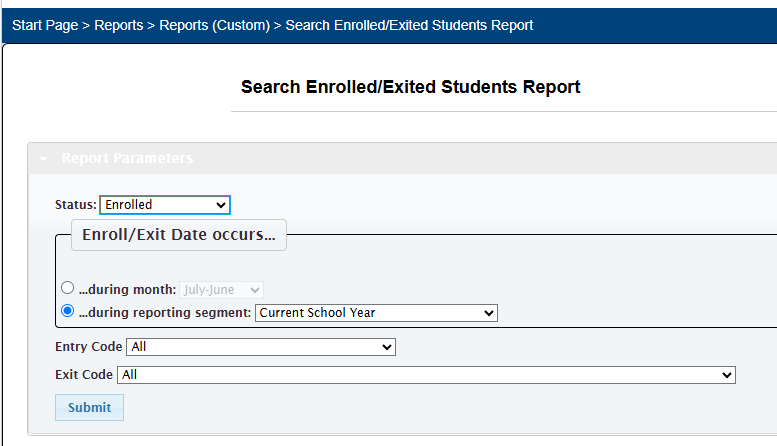
- At the top of the page set status to “Enrolled”
- Select bubble next to “…during reporting segment:”
- Select “Current School Year” from drop down
- Click Submit
- On the resulting report, switch the sort on the “Date entered” column to reverse the timeline
- Sort on the desired "Grade"
- Copy the list of students into Excel spreadsheet
- Add the column headings
- Pick out the students that meet the criteria

powerschool/powerschool/communitytransfers.txt · Last modified: by ltdavis